Why Your Small Business Website Isn't Getting Leads (And How to Fix It)
Your small business website gets visitors but no enquiries? Here's why websites don't convert — and a practical, plain-English fix plan for any small business.
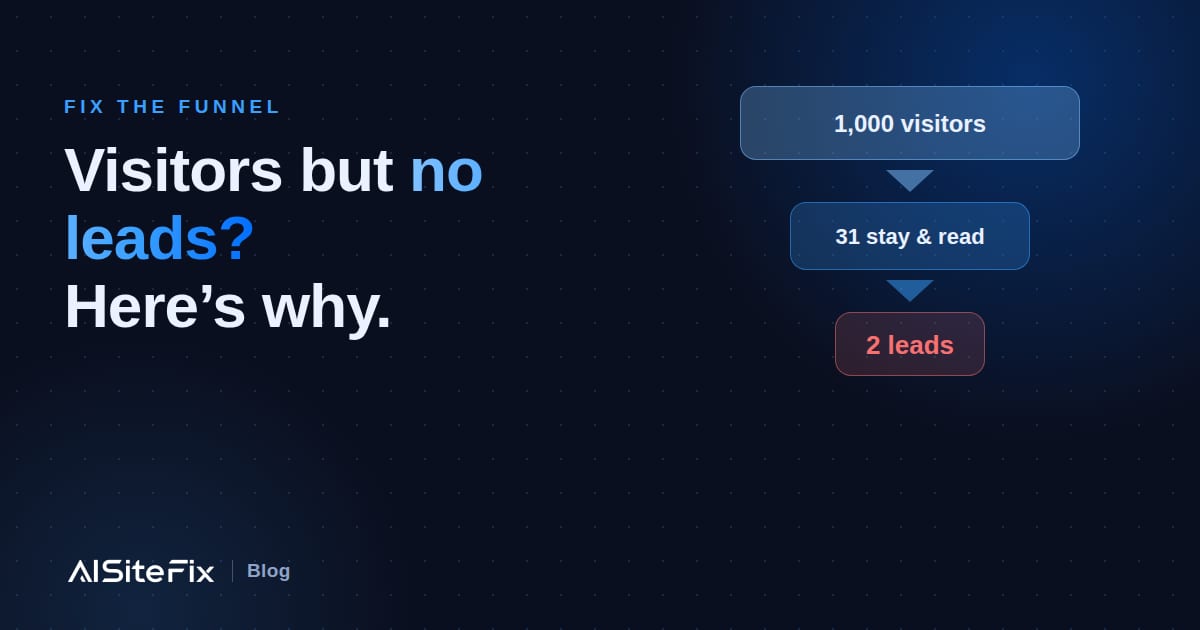
You built a website. Maybe you paid someone good money for it. It looks professional, it shows up when you Google your own business name — and yet the phone stays quiet and the contact form barely fills in. If your website gets visitors but no leads, you are not imagining the problem, and you are not alone. It is the single most common issue we see across thousands of small business websites.
The frustrating part is that the cause is almost never the thing owners blame. This guide walks through why a website stops generating enquiries, how to diagnose your own site in an afternoon, and the specific fixes that turn browsers into buyers — written in plain English, with no jargon and no developer required.
First, the good news: it's usually not your traffic
When leads dry up, most owners assume they need more visitors — more ads, more SEO, more posting. Sometimes that is true. But far more often, the traffic is fine and the website is quietly leaking the visitors it already has.
Here is the maths that matters. If 100 people visit your site this month and one enquires, doubling your traffic to 200 gets you two enquiries — expensive and slow. But if you fix the site so three of every 100 enquire, you have tripled your leads without spending a cent more on traffic. That is what "website conversion" means: the percentage of visitors who take the action you want. For most small business sites it sits between 1% and 3%, and small changes move it fast.
So before you spend another dollar driving people to a site that does not convert, it is worth finding out whether the leak is at the top of the bucket (traffic) or the bottom (the website itself). Usually, it is the bottom.
How to tell if your website has a conversion problem
You have a conversion problem — not a traffic problem — if any of these sound familiar:
- People find you (you rank for your name, you get some Google or social traffic) but very few contact you.
- Visitors land on your homepage and leave within a few seconds without clicking anything.
- You get the occasional enquiry, but it is from people who already knew you — referrals, not strangers.
- Your analytics show traffic to the site but almost no one reaching your contact or quote page.
- You would struggle to explain, in one sentence, what a first-time visitor is supposed to do on your homepage.
The 7 reasons small business websites don't get leads
After analysing site after site, the same problems show up — almost always more than one at a time. Here they are, roughly in order of how much damage they do.
1. Your headline doesn't say what you do or where
The biggest words on your homepage have about three seconds to answer one question: am I in the right place? If your headline says "Welcome to our website" or "Quality you can trust", it has answered nothing, and the visitor leaves. A headline earns its place when it states what you do, where you do it, and why you over the next result on Google. "Welcome to Brodie's Plumbing" becomes "Emergency plumbing across Brisbane — at your door within 2 hours, guaranteed." Same business; one of them gets the call.
2. There is no obvious next step
A visitor who is convinced still needs to be told exactly what to do next — and it has to be impossible to miss. Many sites bury the call-to-action, or scatter five competing ones, or label the button "Submit" (a word that asks the customer to do the work). Give every key page one primary action stated as an outcome: "Get a free quote", "Book a callout", "Call now". Put it in the top right, repeat it at the bottom, and make it a button, not a sentence.
3. Nothing builds trust
Strangers do not hand money to businesses they cannot verify. If your site has no reviews, no real photos, no license or ABN, no guarantee and no recognisable faces, you are asking a visitor to take a leap of faith — and most will not. Trust signals are not decoration; they are the difference between "looks legit" and "looks risky". Add genuine customer reviews, photos of you and your actual work, and any credentials that prove you are the real thing.
4. Your phone number (or contact) is hard to find
For a lot of local businesses, the goal is a phone call — yet the number is hidden in the footer, or buried on a contact page, or rendered as an image a phone cannot tap. Put your phone number in the top-right of every page, make it a tappable link on mobile, and never make a ready-to-buy customer hunt for the one thing they came for.
5. It is slow, or painful on a phone
More than half of small business traffic is on a phone, and a site that loads slowly or behaves badly on mobile loses people before they read a word. Common culprits: huge unoptimised images, text too small to read, buttons too close to tap, and pop-ups that cover the screen. If your site takes more than about three seconds to become usable on a phone, you are losing a measurable share of every visit.
6. You ask for too much, too soon
A contact form with ten fields is a wall. Every extra field you require costs you conversions. Early on, a visitor will give you their name, one contact detail, and a sentence about their job — and not much more. Cut your forms to the minimum, offer a low-commitment first step ("get a free quote" beats "buy now"), and let the relationship earn the rest.
7. You give no reason to choose you over anyone else
If your site could have its logo swapped for a competitor's and still read true, you have no edge. "Reliable, professional, affordable" describes every business in your trade. What do you actually do that they do not — same-day service, a real guarantee, fixed upfront pricing, a specialty, a 20-year track record? Name it, prove it, and lead with it. A specific promise beats a generic boast every time.
How to fix a website that converts visitors into leads
You do not need a rebuild. Most of the fixes above are copy and layout changes you can make in your website editor in an afternoon. Work in this order — it is roughly the order of impact:
- Rewrite your headline so a stranger knows what you do and where within three seconds.
- Add one clear call-to-action as an outcome ("Get a free quote") and repeat it down the page.
- Put your phone number in the header, tappable, on every page.
- Add three real reviews and a few genuine photos near the top of the homepage.
- State one specific reason to choose you — a guarantee, a response time, or upfront pricing.
- Cut your contact form to name, one contact field, and a short message.
- Compress your images and check the site on your own phone — fix anything that is slow, small or fiddly.
How to measure whether it is working
Fixing the site is half the job; knowing it worked is the other half. Track two simple numbers before and after: how many people visit (your hosting dashboard or a free tool like Google Analytics), and how many enquire (calls, form fills, emails). The ratio between them is your conversion rate, and it is the number to watch. A jump from 1% to 2% is a doubling of your leads on the same traffic.
If you want a faster, more objective read than guessing, that is exactly what an audit is for. AISiteFix runs a free AI scan that reads your site the way a customer — and a search engine — does, then scores your headline, calls-to-action, trust signals, mobile experience, speed and SEO out of 100, with the specific problems named. You can see a real sample report before you spend anything.
Find out exactly why your site isn’t converting
A free AISiteFix scan scores your site out of 100 across the nine things that turn visitors into customers — in about a minute. Want the full fix plan with step-by-step rewrites? The Premium Report has it.
Scan my site free →Frequently asked questions
Why is my website getting traffic but no leads?
Almost always because the site does not convert the visitors it already has. The most common causes are a vague headline that does not say what you do or where, no obvious call-to-action, missing trust signals like reviews and real photos, a hard-to-find phone number, and a slow or awkward mobile experience. Fixing these usually lifts enquiries far more cheaply than buying more traffic.
What is a good website conversion rate for a small business?
Most small business websites convert between 1% and 3% of visitors into enquiries. Under 1% usually signals a clear problem with the headline, call-to-action or trust signals. Above 3% is strong for a local service business. The exact number matters less than the trend — track it before and after each change.
Can I fix my website conversions myself, or do I need a developer?
Most of the highest-impact fixes — the headline, the call-to-action, the phone number, reviews and the contact form — are copy and layout changes you can make yourself in your website editor in under an hour each. You only need a developer for deeper technical problems like a slow, JavaScript-heavy build.
How do I know which fix to do first?
Start with the headline and the call-to-action, because everything else only matters if a visitor understands what you offer and knows what to do next. A free AISiteFix scan ranks the issues on your specific site by impact, so you fix the things losing you the most enquiries first.